 0
0
 0
0
Read Time4 Minute, 56 Second
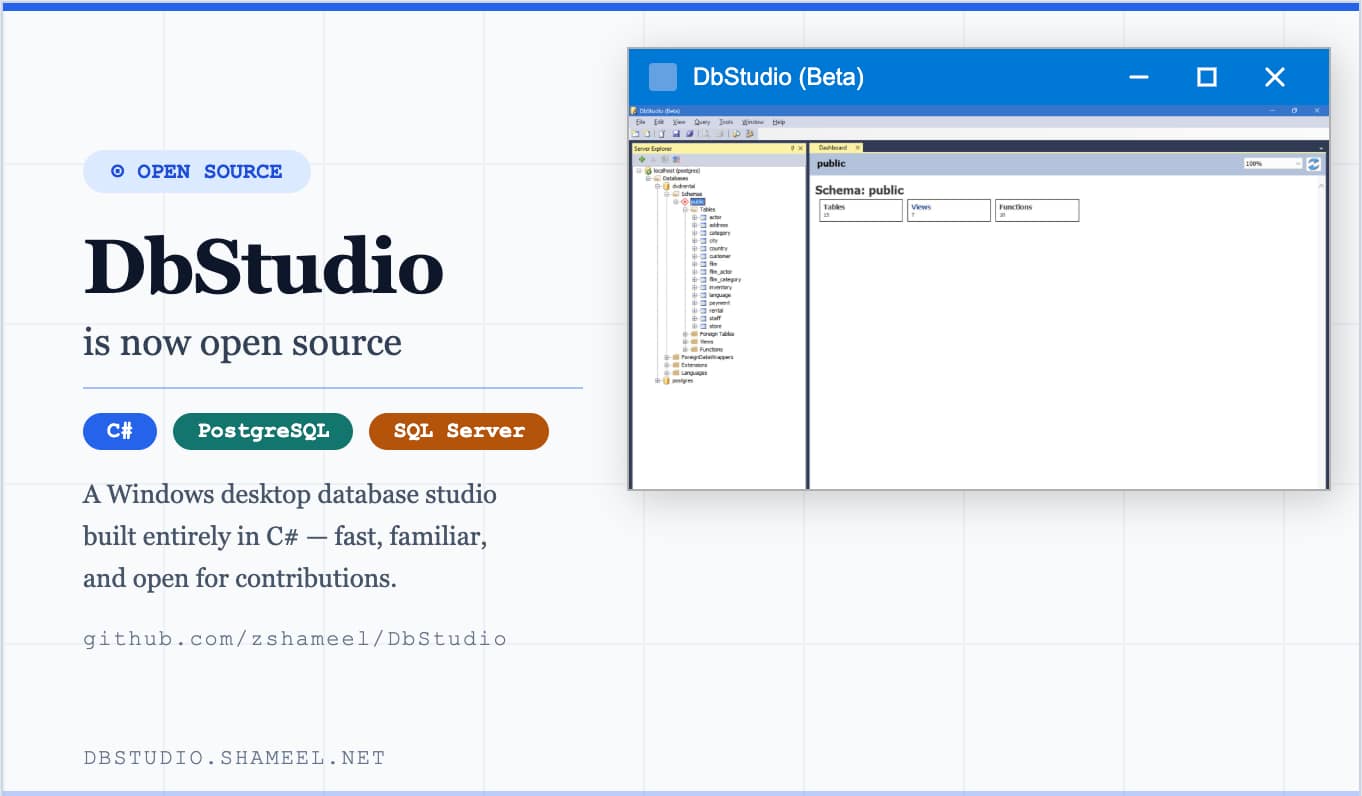
After years of private development, I’m excited to announce that DbStudio is now open source. The full source code is available on GitHub at github.com/zshameel/DbStudio, and contributions from the developer community are very much welcome.
Contents
What Is DbStudio?
DbStudio is a Windows desktop database management tool — your database companion, as the tagline goes — built to make working with PostgreSQL and SQL Server fast, familiar, and frictionless. If you’ve spent time in SQL Server Management Studio or similar tools, DbStudio will feel right at home: it follows the same conventions Microsoft developers are used to, without the overhead.
You can try it right now without even building from source. The latest release (v0.6.1 beta) ships as a single, xcopyable EXE — no installer, no setup wizard. Just unzip and double-click.
Key Features
- Multi-database support — connects to both PostgreSQL and SQL Server from a single application.
- Native drivers — DbStudio talks to databases using native drivers rather than abstraction layers, keeping query execution fast.
- Familiar UI for Microsoft developers — the interface follows conventions developers already know: a Server Explorer panel, query windows, dashboards, and a connect dialog that behaves predictably.
- Persistent query windows — open query tabs survive application restarts without requiring you to save them manually. Your work is always there when you come back.
- Auto-connect on startup — the Server Explorer can be configured to reconnect to all previously used servers automatically, so you’re ready to query the moment the app opens.
- Zero-install deployment — the release build is a single EXE, making it easy to drop on a developer machine or carry on a USB drive.
A Look at the Codebase
The solution is structured as a standard Visual Studio 2019 C# project (solution format version 12.00, targeting VS 16.x). It contains two projects:
DbStudio (Main/) — the core application. This is the WinForms-based shell that handles the UI, database connections, the Server Explorer, session management, and the overall application lifecycle.
ICSharpCode.TextEditor (TextEditor/) — the embedded text editor component powering the query windows. This is a well-known open-source syntax-highlighting editor that has long been a staple in C# desktop tooling. Bundling it directly into the solution rather than pulling it as a NuGet package keeps the build self-contained and makes it straightforward to modify the editor’s behavior — for example, adding syntax highlighting rules for database-specific SQL dialects.
The codebase is almost entirely C# (99%), with a small amount of HTML (1%), and targets Any CPU, so both Debug and Release configurations build without platform-specific concerns.
Getting Started with the Source
If you want to build and run DbStudio locally:
- Clone the repository:
git clone https://github.com/zshameel/DbStudio.git - Open
DbStudio.slnin Visual Studio 2019 or later. - Build the solution (
Ctrl+Shift+B) — both projects (DbStudioandICSharpCode.TextEditor) will compile together. - Run the
DbStudioproject.
No external NuGet package restore should be needed for the TextEditor component since it lives in the repo. You will need a reachable PostgreSQL or SQL Server instance to test connections against.
How to Contribute
This is early days for DbStudio as an open-source project, which means it’s a great time to get involved — there’s real room to shape the direction. Here are some areas where contributions would make a meaningful difference:
- Database support — adding support for MySQL, SQLite, or other popular engines.
- UI improvements — the interface works well, but there’s always room for polish: dark mode, improved result-set rendering, column resizing, export options.
- Editor enhancements — better SQL autocomplete, keyword highlighting, query formatting.
- Cross-platform — the current build targets Windows via WinForms. Exploring .NET MAUI or Avalonia for cross-platform support would be a significant and exciting contribution.
- Documentation — a proper README, contribution guide, and architecture notes would go a long way for onboarding new contributors.
- Bug reports — open an issue on GitHub if you find something broken. Reproducible bug reports are always appreciated.
Links
- GitHub Repository: github.com/zshameel/DbStudio
- Website & Downloads: dbstudio.shameel.net
- Latest Release: v0.6.1 beta — available as a zip on the downloads page.
If you work with PostgreSQL or SQL Server on Windows and have been looking for a lightweight, developer-friendly studio tool, give DbStudio a try. And if the codebase sparks an idea, fork it, open an issue, or send a pull request — every contribution helps.